Creating a home workspace that is both comfortable and productive can significantly enhance your ability to focus and complete tasks efficiently. Whether you are working remotely full-time or just need a dedicated spot for occasional projects, the right setup makes a big difference. Below are practical tips to help you design a workspace that supports your needs and promotes well-being throughout your workday.
Choose the Right Location
Selecting the right spot in your home is the first step. Ideally, pick a quiet area free from high traffic and distractions.
– Natural light: Position your desk near a window for natural light, which helps reduce eye strain and improve mood.
– Noise level: If possible, choose a room with a door you can close or use noise-canceling headphones to minimize disruptions.
– Space: Ensure you have enough room to spread out your materials and store necessary items.
Invest in Ergonomic Furniture
Comfort is key to maintaining productivity. Ergonomic furniture supports proper posture, reducing fatigue and physical discomfort.
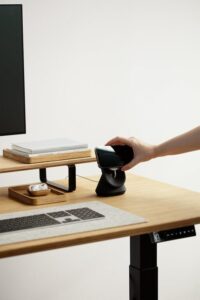
– Desk: A sturdy desk that fits your space and work style is essential. Consider adjustable desks if you want to alternate between sitting and standing.
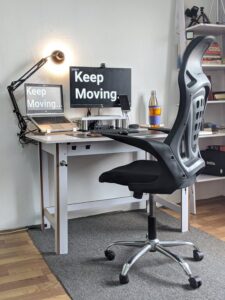
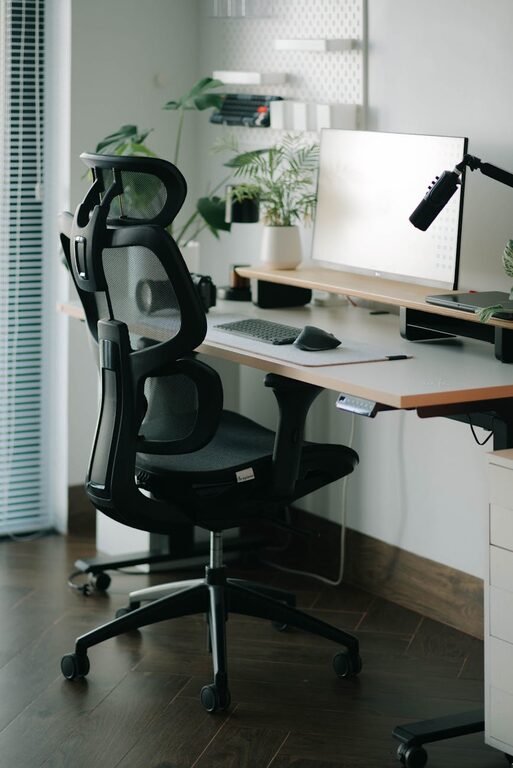
– Chair: Choose an ergonomic chair with good lumbar support, adjustable height, and comfortable cushioning.
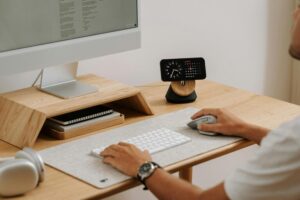
– Accessories: Use a keyboard tray, monitor stand, or footrest to align your body and screen properly.
Organize Your Workspace Efficiently
A clutter-free environment helps keep your mind clear and focused.
– Storage solutions: Use shelves, filing cabinets, or desk organizers to keep documents and supplies tidy.
– Cable management: Tidy up cables with clips or sleeves to avoid tangles and hazards.
– Minimalism: Keep only the essentials on your desk to reduce distractions.
Optimize Lighting
Lighting affects how well you can see your work and your overall comfort.
– Balanced lighting: Combine natural and artificial light sources to avoid glare and shadows.
– Task lighting: Use an adjustable desk lamp to illuminate your immediate work area.
– Light temperature: Choose bulbs with a color temperature between 4000K-5000K for a neutral, daylight effect.
Personalize Your Space
Adding personal touches can make your workspace more inviting and motivate you.
– Decor: Incorporate plants, artwork, or meaningful items that brighten your mood.
– Color scheme: Use calming colors like blues and greens for focus, or energetic colors like yellows if you prefer stimulation.
– Comfort items: A cozy throw or cushion can add warmth and physical comfort.
Set Boundaries and Maintain Routine
A productive space also depends on how you manage your work habits.
– Dedicated use: Use the space only for work to mentally separate professional and personal life.
– Regular breaks: Plan short breaks to stretch, walk, or rest your eyes.
– Consistent schedule: Keep regular work hours to build a routine and maintain discipline.
Use Technology Wisely
Having the right technology helps streamline your workflow.
– Reliable internet: Ensure a strong internet connection for smooth video calls and online tasks.
– Efficient equipment: Use a quality computer, keyboard, mouse, and headset tailored to your work.
– Backup: Keep backup drives or cloud storage to avoid data loss.
Maintain Cleanliness
A clean workspace promotes health and focus.
– Daily tidying: Spend a few minutes at the end of the day clearing your desk.
– Regular cleaning: Dust and sanitize your equipment and surfaces to keep germs at bay.
—
Designing a comfortable and productive home workspace takes some planning but yields significant benefits. By choosing the right location, investing in ergonomic furniture, organizing your materials, and setting clear work boundaries, you create an environment that supports your best work. Remember, your workspace should evolve as your needs change—periodically reassess and adjust to keep it functional and inspiring.